ECAM-System
ECAM Purpose
Electronic Centralized Aircraft Monitoring System.
The purpose of the ECAM is to:
- Display Aircraft System Informaton
- Monitor the Aircraft Systems
- Indicate actions which are required by the Crew in normal, abnormal and emergency situations.
The big advantage of the ECAM is the applicable information is displayed to the crew on an "as needed" basis.
Operating Modes
There are several operating modes:
- Normal Mode: Automatically displays systems and memos in accordance to the flight phase
- Failure Mode: Automatically displays the appropriate abnormal procedure including the associated synoptic
- Advisory Mode: Automatically displays system synoptic associated with the drifting parameter
- Manual Mode: Manual selection of any system synoptic via the ECAM Control Panel
Operating Modes explained
The T.O. Inhibit and Landing Inhibit modes are as follows. For the list of flight phases please see the dropDown below.
T.O. Inhibit
Active in 3 Phases (3, 4 and 5)*:- TO Thrust to 80 kts
- Liftoff
- 1500 ft
Landing Inhibit
Active in 2 Phases (7 and 8)*:- 800 ft
- TouchDown
- 80 kts
The 10 phases of flight
Explanation (Click to open)
- ELEC PWR
- 1st. Engine started
- 1st. Engine to PWR
- LiftOff
- 1500 [ft]
- 800 [ft]
- TouchDown
- 80 [kts]
- 2nd. Engine shut down
- 5 [Min] after
ECAM Color Coding
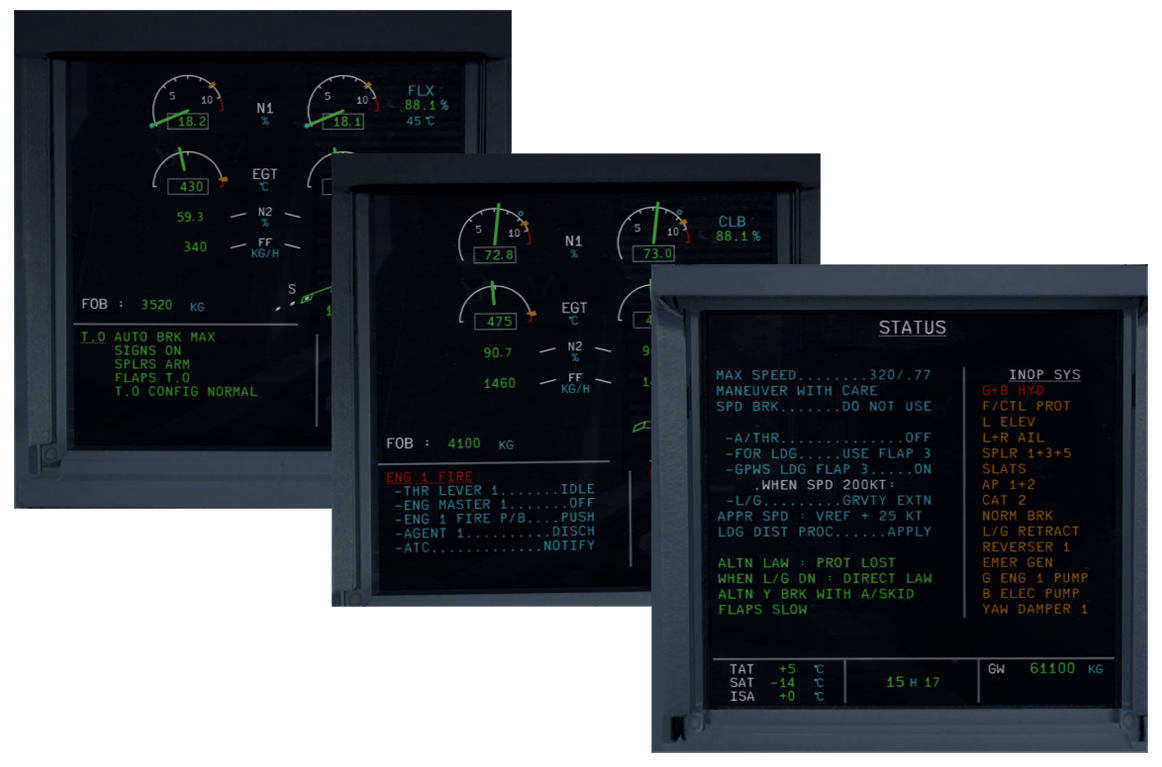
ECAM Handling
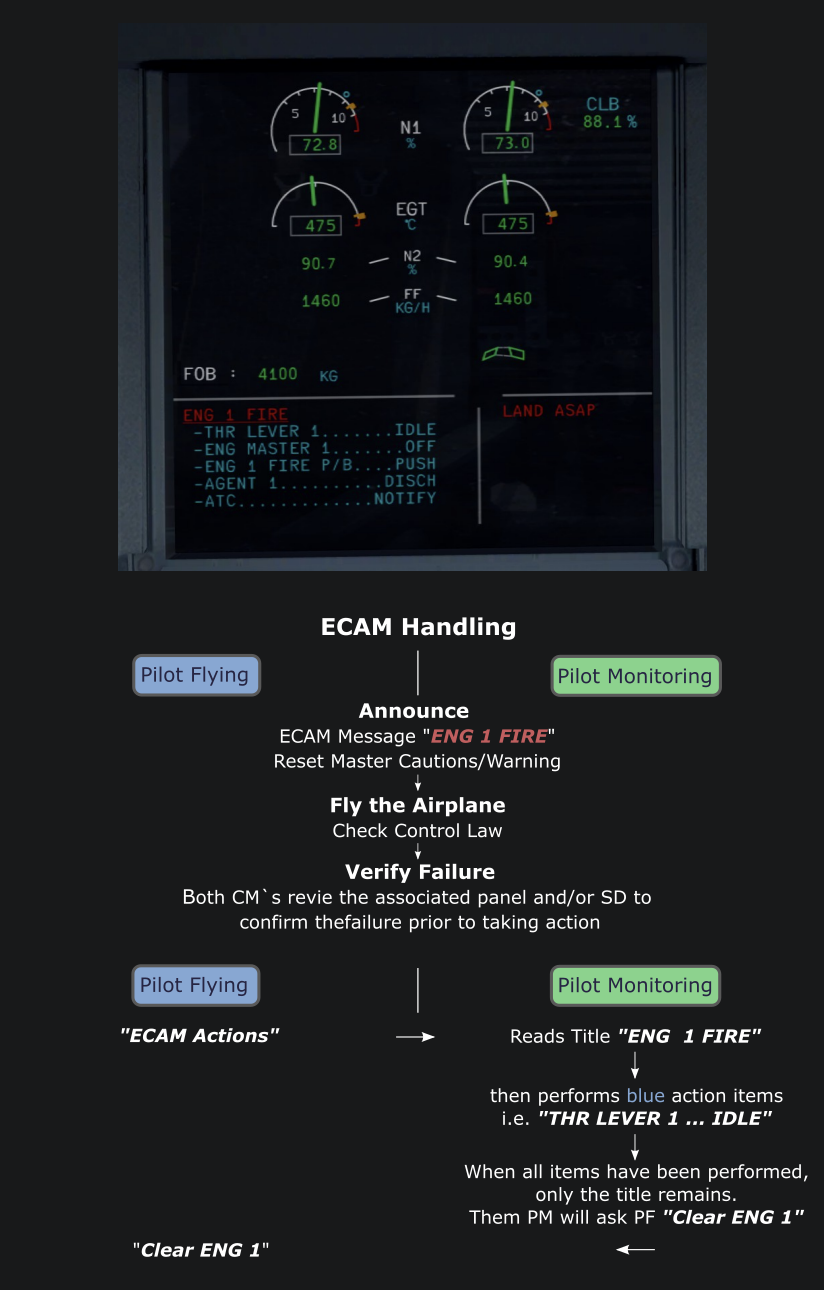
How we handle the different messages on the ECAM-Display
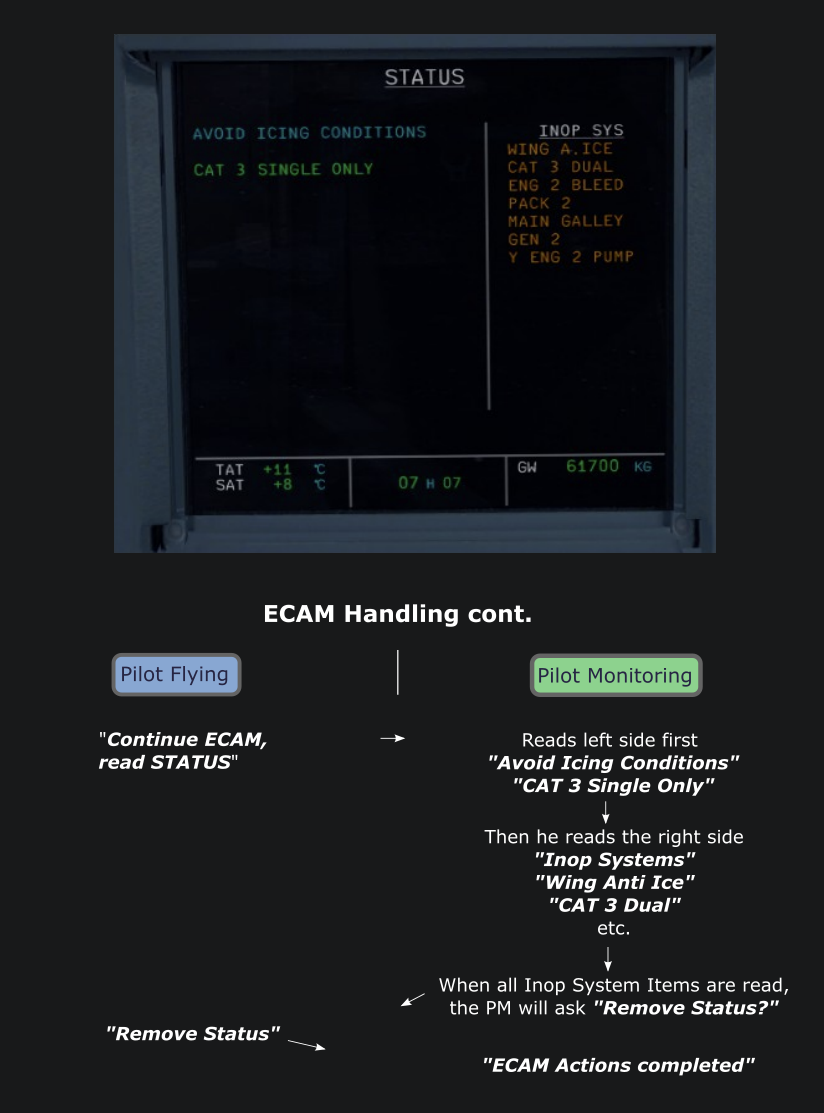
After reviewing and clearing all items of the SD Pages, the STATUS Page appears. Before reading this page "Stop ECAM" is announced in order to check if a system or computer reset can be performed in order to repair an inoperative system. After this, the STATUS Page is read by the PM.
tip
It is very important to clear/remove the Status Page after the completion of the ECAM Procedure. This ensures that other Checklists, i.e. Landing Checklist appear later on.
warning
ONLY for Flight-Simulation!